ES 搜索调优实战:从 IK 分词到 match_phrase slop
当默认分词”打架”,你需要这份调优手册 接上一篇《ES 日常操作手册》解决的是”怎么用 ES”,本文聚焦的是另一个问题:怎么让 ES 搜得更准。本文整理 6 个真实生产场景的调优手段,覆盖分词器选型、宽文本抽取、子字段建模等典型问题。
一、IK 分词器:召回优先还是精度优先?
ES 默认的标准分词器(standard tokenizer)按空格切,中文文本会整句作为一个 token,等于不能搜。生产中只要涉及中文,就离不开 IK。
ES IK 插件提供两种分词模式:
| 模式 | 行为 | 召回 | 精度 |
|---|---|---|---|
ik_max_word |
最细粒度切分,穷尽所有可能切法 | 高 | 低 |
ik_smart |
粗粒度切分,按语义切一次 | 低 | 高 |
举例:分词 "乌兰腾格里旗人"
curl -XPOST -H 'Content-Type:application/json' \
  'http://192.0.2.10:9200/projGraph.residents/_analyze?pretty' \
  -d '{
    "analyzer": "ik",
    "text": "乌兰腾格里旗人"
  }'
返回中会看到 ik_max_word 切出 ["乌兰特", "乌兰", "兰特", "腾格里", "旗人", "人"] 等 token。
选择策略:
- 搜索召回不够 → 用
ik_max_word:宁可多几个无意义 token 让结果出来- 搜索结果太杂 → 用
ik_smart:按语义切一次,相关性更高- 字段 mapping 中显式指定
analyzer: ik时,IK 走的是ik_max_word;想要ik_smart需要在 mapping 里写analyzer: ik_smart
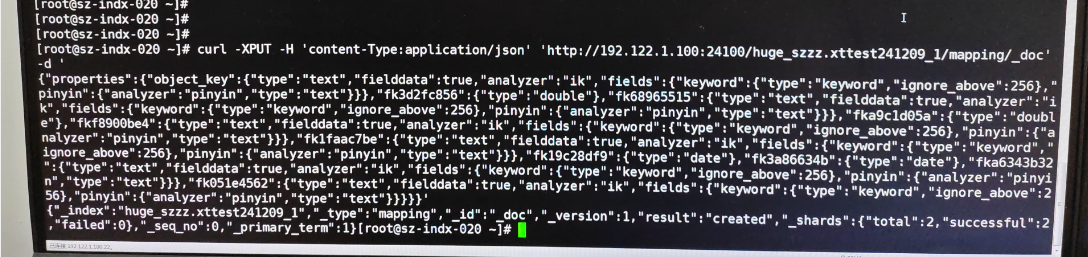
一句话:中文检索离不开 IK——召回优先选
ik_max_word,精度优先选ik_smart,mapping 里不写 IK 类型就默认走最细粒度。
二、IK 6.8 的分词崩溃:startOffset must be non-negative 修复实录
报错现场
ES 数据接入过程中偶发报错:
startOffset=2, endOffset=3, lastStartOffset=3 for field 'name'
文档写入直接失败,调用方看到 5xx。
影响范围
测试覆盖:
| IK 版本 | 是否报错 |
|---|---|
| 6.6.1 | ❌ |
| 6.8.0 | ✅ 报错 |
| 6.8.x | ✅ 报错 |
| 7.0.1 | ✅ 报错 |
| 7.8.1 | ❌ 不报 |
结论:6.8.0–7.0.1 的 IK 都有问题,7.8.1 修复。
解决办法:降级 IK 插件到 6.6.1
./bin/elasticsearch-plugin remove analysis-ik
./bin/elasticsearch-plugin install file:///opt/elasticsearch-analysis-ik-6.6.1.zip
打包好的离线包:
- 6.6.1:
https://github.com/medcl/elasticsearch-analysis-ik/releases/download/v6.6.1/elasticsearch-analysis-ik-6.6.1.zip - 6.8.2:
https://github.com/medcl/elasticsearch-analysis-ik/releases/download/v6.8.2/elasticsearch-analysis-ik-6.8.2.zip
建议:新部署的 ES 集群,预先替换好 IK 插件再启动,避免运行中触发脏数据回写失败。

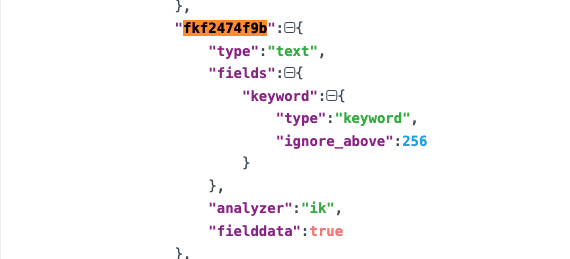
一句话:IK 6.8.0–7.0.1 都有 startOffset 崩溃,新集群直接装 7.8.1+ 或降到 6.6.1,别等上线后半夜被叫醒。
三、从宽文本里精准抽词:identity_analyzer 实战
场景
数据接入经常遇到”宽文本”——一段文字里同时塞了手机号、微信 id、车牌号,期望:
搜”13812345678”能命中 搜”wxid_a8k2p7m4”也能命中
样本文本:"张三手机号为13812345678,其微信号为wxid_a8k2p7m4"
思路:自定义 analyzer
ES 默认分词器做不到”既保留整段、又能抽关键 token”。需要组合:
- Tokenizer =
keyword:不分词,保留整段 - Filter =
pattern_capture:按正则抽出子串,每个匹配生成一个 token
preserve_original: true 让原始整段也作为 token 保留,配合后续 match 查询。
创建索引
curl -XPUT -H 'Content-Type:application/json' \
  'http://192.0.2.10:9200/wide_text_index' \
  -d '{
    "settings": {
      "analysis": {
        "analyzer": {
          "identity_analyzer": {
            "type": "custom",
            "tokenizer": "standard",
            "filter": [
              "lowercase",
              "identity_pattern"
            ]
          }
        },
        "filter": {
          "identity_pattern": {
            "type": "pattern_capture",
            "preserve_original": true,
            "patterns": [
              "(\\d{11})",
              "(wxid_[a-z0-9_]+)"
            ]
          }
        }
      }
    },
    "mappings": {
      "wide_text_index": {
        "properties": {
          "content": {
            "type": "text",
            "analyzer": "identity_analyzer"
          }
        }
      }
    }
  }'
写入测试数据
curl -XPOST -H 'Content-Type:application/json' \
  'http://192.0.2.10:9200/wide_text_index/_doc/1' \
  -d '{
    "content": "张三手机号为13812345678,其微信号为wxid_a8k2p7m4"
  }'
测试 match 查询
curl -XGET -H 'Content-Type:application/json' \
  'http://192.0.2.10:9200/wide_text_index/_search' \
  -d '{
    "query": {
      "match": {
        "content": "13812345678"
      }
    }
  }'
match 会把查询串丢给 identity_analyzer 分词,得到 ["13812345678"](原文保留的 token),命中。
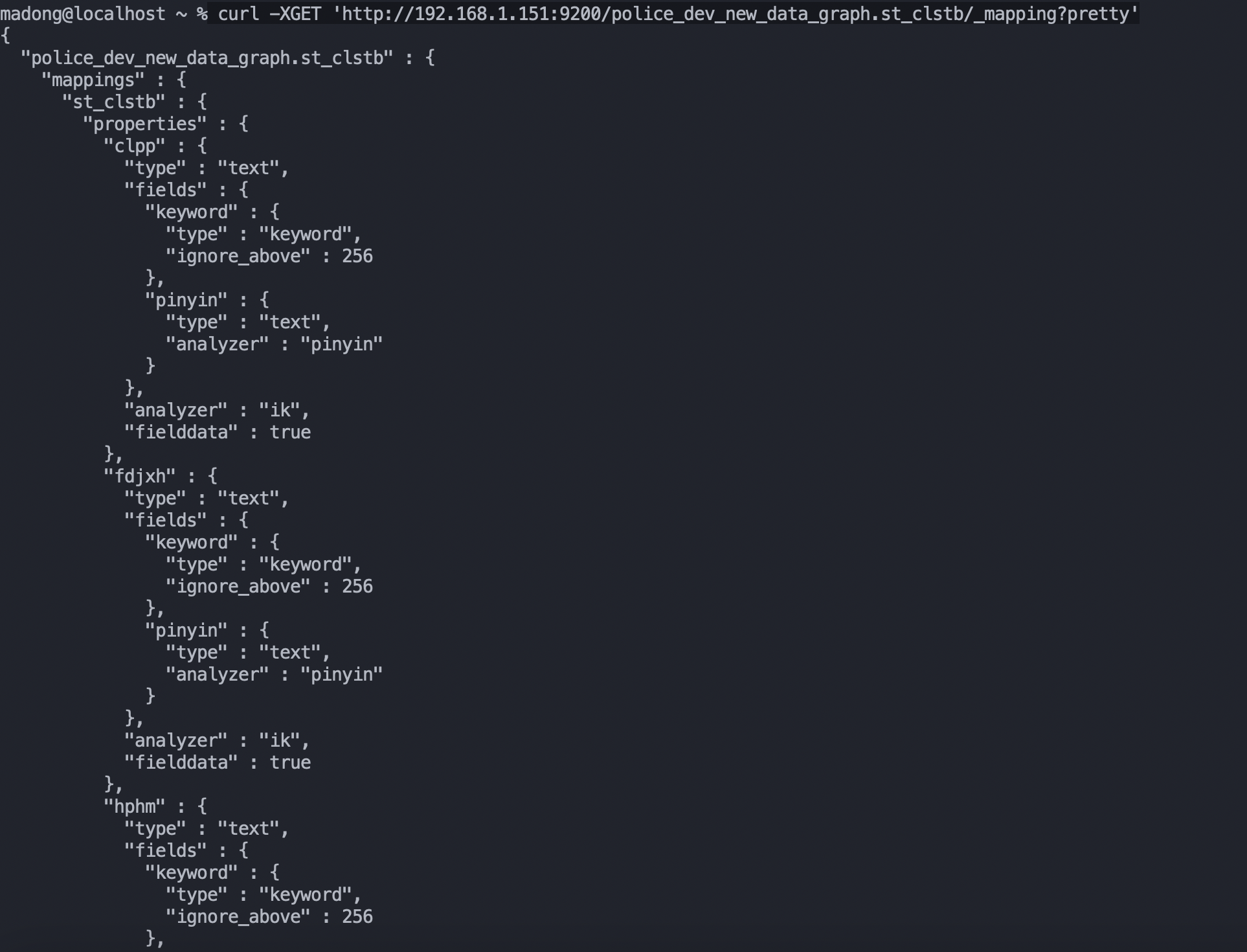

用 _analyze 验证分词
curl -XPOST -H 'Content-Type:application/json' \
  'http://192.0.2.10:9200/wide_text_index/_analyze?pretty' \
  -d '{
    "analyzer": "identity_analyzer",
    "text": "张三手机号为13812345678,其微信号为wxid_a8k2p7m4"
  }'
返回 token 列表应包含:原文整段、13812345678、wxid_a8k2p7m4,三个 token。
踩坑点:
pattern_capture的每个patterns分组必须用小括号包起来,否则匹配到的内容不会作为 token 输出。
一句话:宽文本抽手机号 / wxid,组合
keywordtokenizer +pattern_capturefilter 比写正则match干净一个数量级。
四、match 还是 match_phrase:召回与精度的分水岭
行为差异
| Query | 分词查询串 | 匹配规则 |
|---|---|---|
match |
✅ 分词 | 任一 token 命中即可(OR 语义) |
match_phrase |
❌ 不分词 | token 全部命中 且 保持相邻关系 |
一个例子
搜索框输入 "东方世纪城南苑":
match:把”东方世纪城南苑”分词得到["东方", "世纪", "城", "南", "苑"],任一 token 命中就算命中。召回极高,精度极低。match_phrase:把查询串作为一个短语匹配,要求 token 按顺序相邻出现。召回低,精度高。
实战选择
- 全文检索、搜索框联想 →
match - 想控制 token 顺序(地址、姓名、专业术语)→
match_phrase
用 keyword 子字段做精确匹配
对宽文本,如果想”整段匹配”(不分词),用 keyword 子字段:
"content": {
  "type": "text",
  "fields": {
    "keyword": {
      "type": "keyword",
      "ignore_above": 256
    }
  }
}
查询:
curl -XGET -H 'Content-Type:application/json' \
  'http://192.0.2.10:9200/projGraph.alertEvent/_search' \
  -d '{
    "query": {
      "match": {
        "content.keyword": "张三手机号为13812345678,其微信号为wxid_a8k2p7m4"
      }
    }
  }'
content.keyword 不分词,整段比对,命中唯一一条。
一句话:
match看召回,match_phrase看精度——地址、姓名、专业术语用match_phrase,联想词用match。
五、slop 救场:16 vs 1010 的反直觉案例
现象
甲市局反馈搜索结果异常:
| 搜索词 | 命中数 |
|---|---|
东方世纪城 |
16 |
东方世纪城南苑 |
1010 |
| 预期(南苑 ⊇ 城) | ≥ 1026 |
业务侧合理预期:搜”东方世纪城”应该把”南苑”也带出来,结果反而少了。
根因分析
match_phrase 默认要求 token 完全相邻、位置严格一致。查看 ik 分词:
输入 1:东方世纪城
- token:
东方 / 世纪 / 城
文档 1:南岭省启明市翠城区新华镇学院路东方世纪城
- token:
南岭 / 启明 / 翠城 / 新华 / 学院 / 路 / 东方 / 世纪 / 城
匹配成功:7 个 token 全部按位置对齐。
文档 2:南岭省启明市翠城区学院路6号东方世纪城南苑11栋1单元1402室
- token:
南岭 / 启明 / 翠城 / 学院 / 路 / 6 / 号 / 东方 / 世纪 / 城 / 南苑 / 11 / 栋 / 1 / 单元 / 1402 / 室
严格 phrase 匹配:原文 token 多出 南苑,导致 ["东方", "世纪", "城"] 的相对位置错位,匹配失败。
本质:
match_phrase在 token 中间不能”插入”任何 token。
解法:slop
{
  "query": {
    "match_phrase": {
      "content": {
        "query": "东方世纪城",
        "slop": 1
      }
    }
  }
}
slop = N 含义:允许查询串中的 token 之间最多错位 N 个位置。slop=1 表示允许插入 1 个 token。
代码侧把 slop 默认改为 1,业务无感升级。
踩坑点:slop 不是越大越好,slop=10 时短查询词召回过广、相关性下降。需要按业务场景微调,常见的经验值是 1–3。
一句话:
match_phrase默认 token 严格相邻,slop 给 1–3 通常就够了;给 10 就要小心相关性塌方。
六、一个字段三种玩法:ik + keyword + pinyin 子字段
生产中一个字段常常要支持多种检索:
| 检索方式 | 用什么 analyzer |
|---|---|
| 汉字模糊检索 | ik_max_word |
| 拼音检索(输入”zhangsan”命中”张三”) | pinyin |
| 精确匹配、排序、聚合 | keyword |
ES 的子字段机制可以同时满足三种需求:
{
  "content": {
    "type": "text",
    "analyzer": "ik",
    "fielddata": true,
    "fields": {
      "keyword": {
        "type": "keyword",
        "ignore_above": 256
      },
      "pinyin": {
        "type": "text",
        "analyzer": "pinyin"
      }
    }
  }
}
查询时分场景使用:
# 汉字检索
{"query": {"match": {"content": "张三"}}}

# 拼音检索
{"query": {"match": {"content.pinyin": "zhangsan"}}}

# 精确匹配
{"query": {"term": {"content.keyword": "张三"}}}

# 聚合
{"aggs": {"by_name": {"terms": {"field": "content.keyword"}}}}
踩坑点:
fielddata: true会把所有 token 加载到 heap,对大字段慎用。一般小字段(姓名、地址)才开,长文本别开。
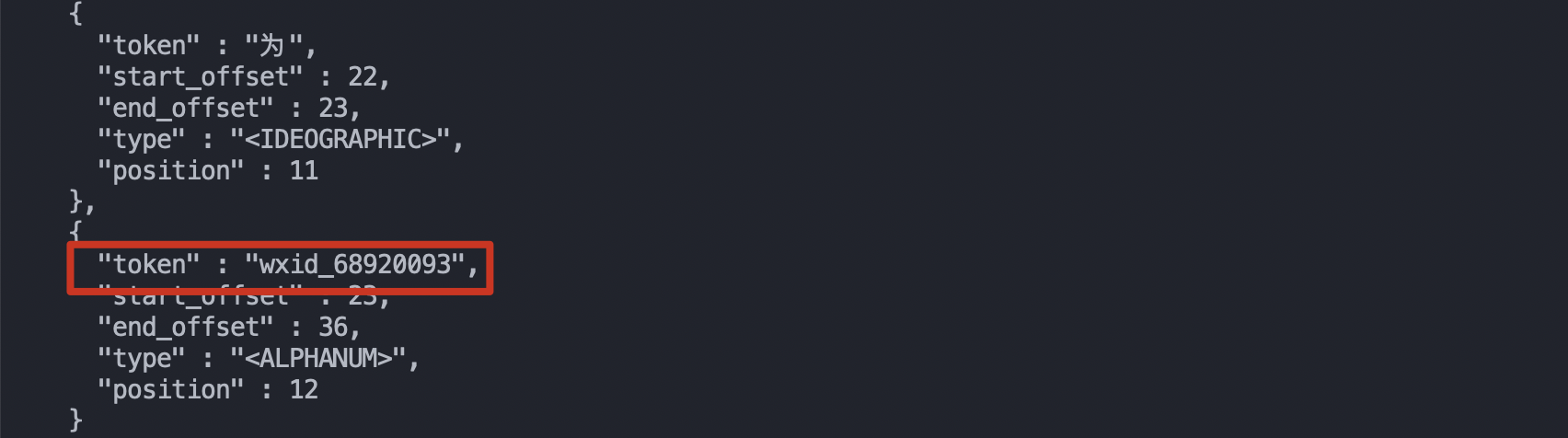
一句话:同一字段三种检索,
text+keyword+pinyin子字段一套打尽;fielddata: true只给小字段开。
小结
把今天分享的 6 个调优动作压缩成一句话:
先
_analyze看分词,再选 analyzer,最后调 slop。
速查:
| 调优场景 | 关键手段 |
|---|---|
| 中文分词 | ik_max_word(召回)/ ik_smart(精度) |
| IK 6.8–7.0 报错 | 降级到 6.6.1 IK 插件 |
| 宽文本抽手机号 / wxid | keyword tokenizer + pattern_capture filter |
| 召回过高 | 改用 match_phrase |
| 召回过低(短词命中长词) | match_phrase.slop 设为 1–3 |
| 同一字段三种检索 | text + keyword + pinyin 子字段 |
调优没有银弹。90% 的搜索质量问题都能在 _analyze 阶段发现——写一段查询串,看返回的 token,再和文档的 token 一一比对,错位的 token 数量和位置决定了 match_phrase slop 该设多少。
搜索质量是个长期工程,后续会写一篇《ES 性能调优:从 shard 设计到 JVM GC》,敬请期待。