ES 日常操作手册:集群巡检、增删改查与别名管理
一线工程师私货清单:从巡检到范围清理,每条都跑过生产 接上一篇 《Elasticsearch 核心技术与实战》,本文整理一线工程师私货清单:把日常 ES 操作按 集群巡检、文档 CRUD、批量改写、别名切换、范围清理 五类归并,每条都跑过生产。
关于文中地址
所有示例 IP(
192.0.2.x、198.51.100.x、203.0.113.x)均为 RFC 5737 文档保留地址,请替换为实际环境地址。
一、先看家底:3 条 curl 摸清集群健康
1.1 节点健康状态
curl -XGET 'http://192.0.2.10:9200/_cat/health?v&pretty'
返回字段:status(green/yellow/red)、node.total、shards、unassigned.shards 等。
踩坑点:看到
yellow不一定是问题——单节点集群必然 yellow,因为副本无处安放。真正该警惕的是unassigned.shards > 0持续不收敛。我当年调过 demo 集群这一项,直到看分片排布才意识到是徒劳。

1.2 列出所有索引
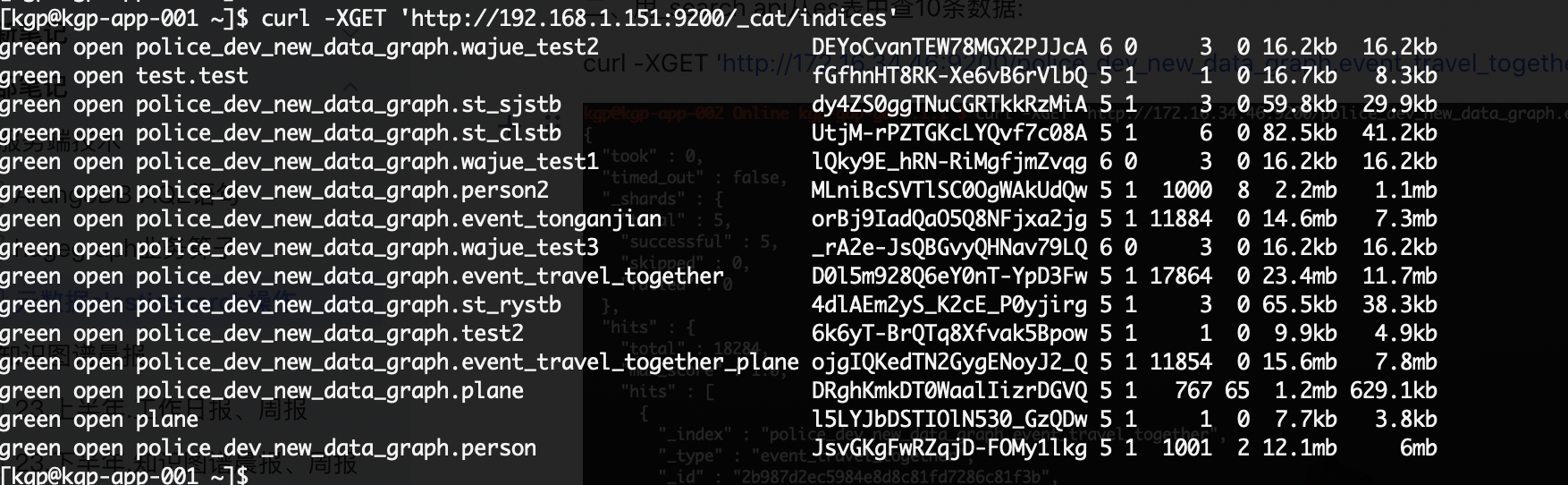
curl -XGET 'http://192.0.2.10:9200/_cat/indices?v&pretty'
输出列:索引文档数、占用存储、主分片数、副本分片数等。配合 grep 可按图实例过滤:
curl -XGET 'http://198.51.100.10:9200/_cat/indices?v&pretty' \
  | grep 'projGraph'
这个习惯帮我节省过 30 分钟排障时间——客户现场一开口”哪个图实例”,先 grep 比逐行扫快得多。
1.3 ?pretty 的妙用
在 URL 末尾加 ?pretty 可对返回 JSON 自动格式化,加 &pretty 用于追加参数(如 ?pretty&scroll_size=10000)。从 ES 6.x 起也支持 Accept: application/json 头来控制。
一句话:集群巡检看的是
unassigned.shards,不是status——yellow不一定是问题,副本无处安放的单节点集群永远 yellow。
二、从索引到文档:_search 的两条路径
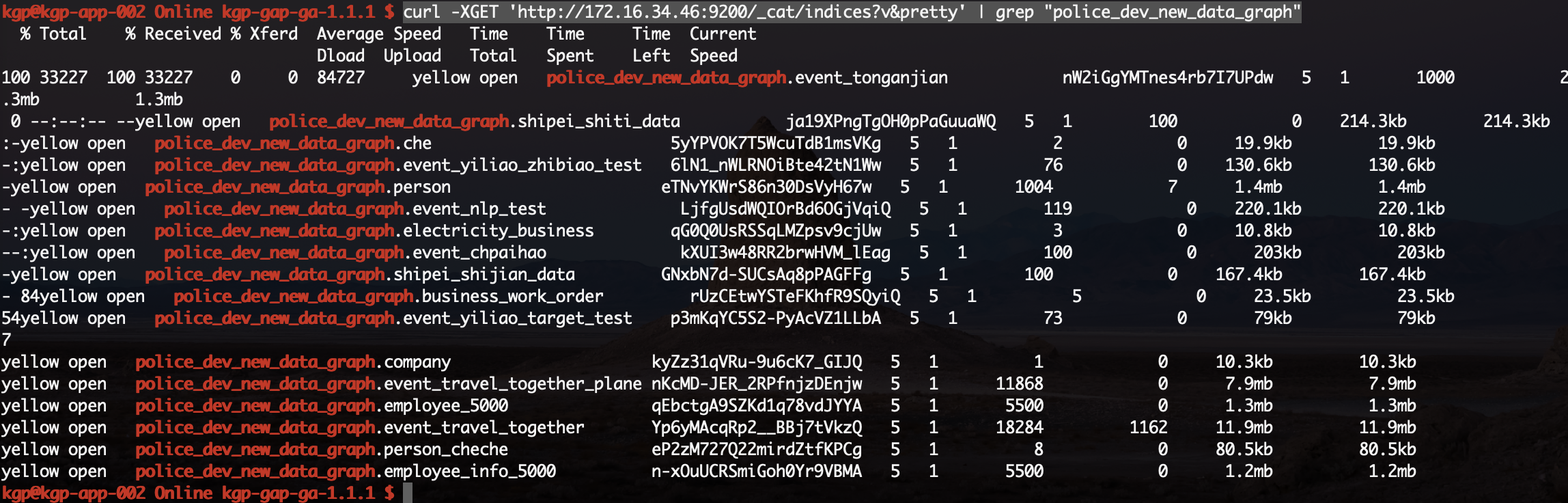
2.1 全表查询
curl -XGET 'http://198.51.100.10:9200/projGraph.tripEvents/_search?pretty'
默认返回前 10 条。可通过 ?size=N&from=M 做翻页;超过 10000 条请用 search_after 或 PIT(Point-In-Time)。
2.2 按 _id 单文档查询
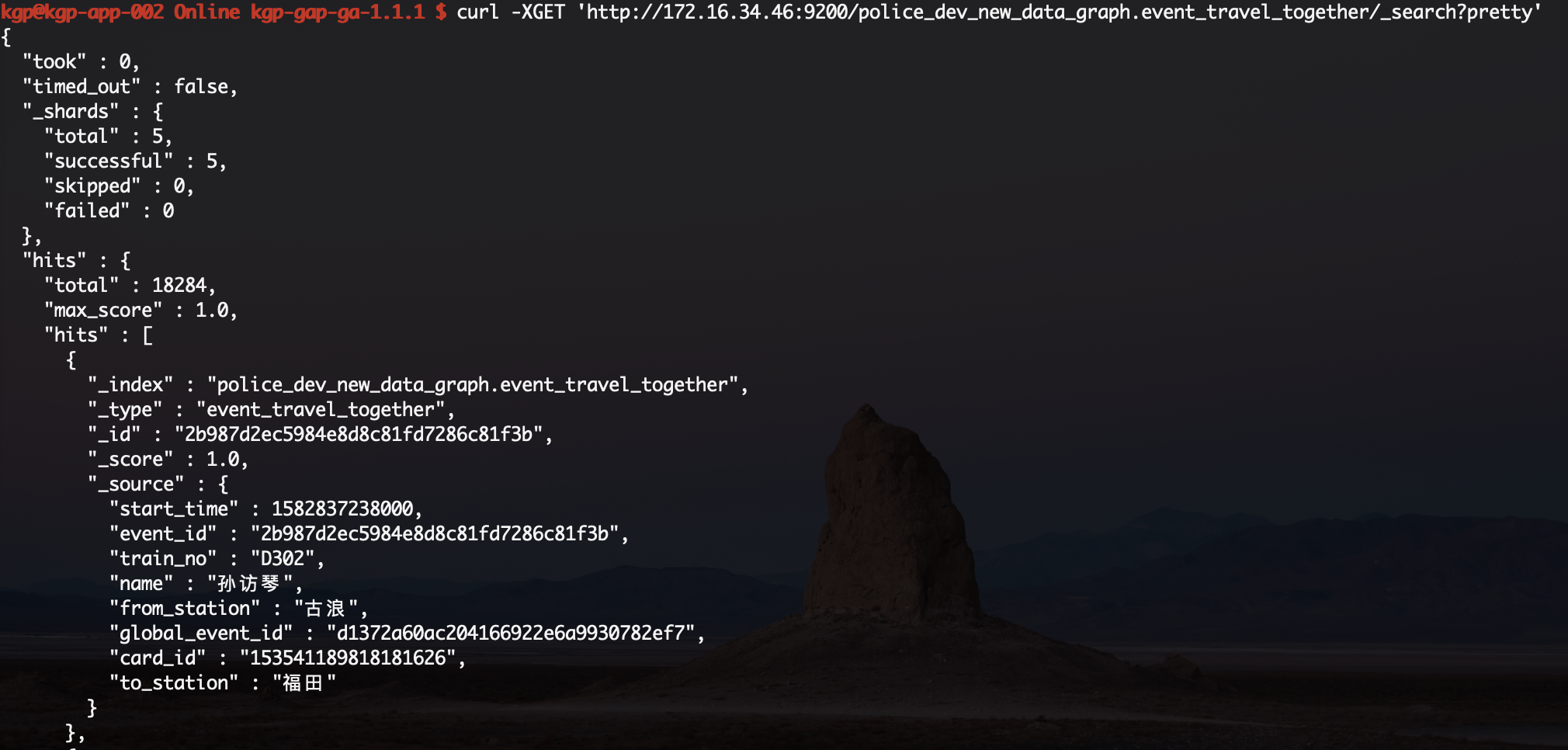
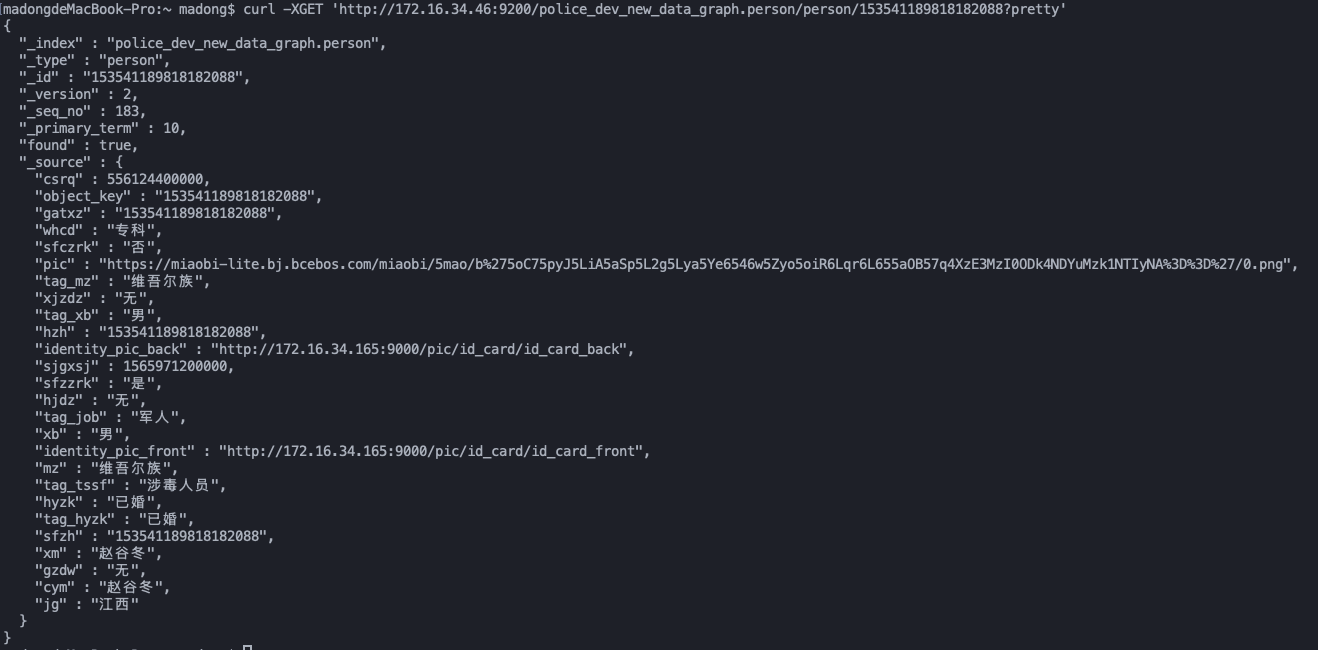
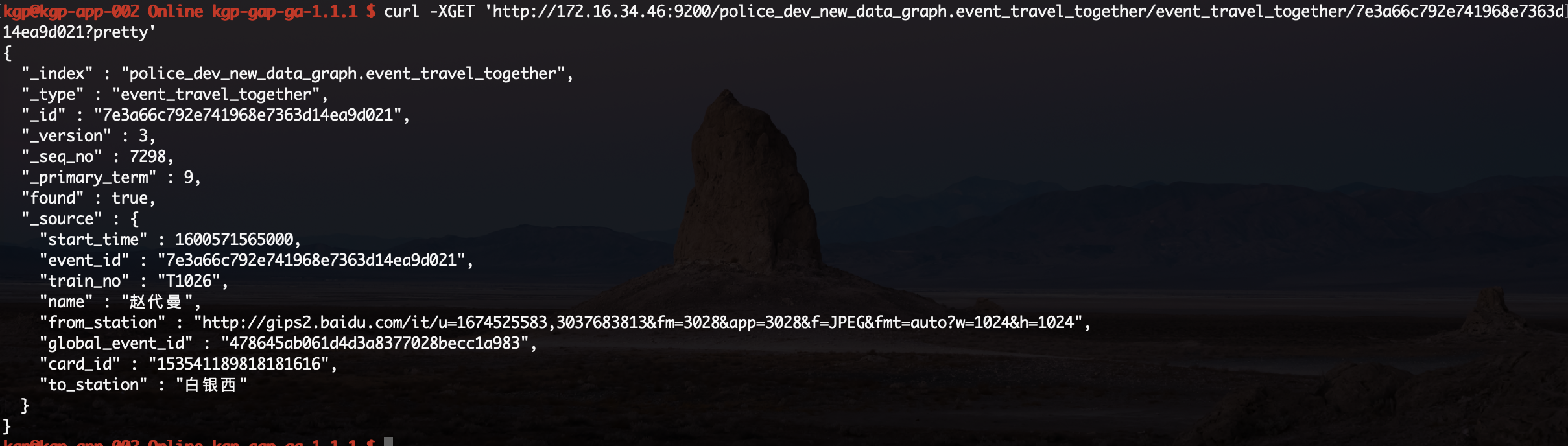
curl -XGET 'http://198.51.100.10:9200/projGraph.tripEvents/event_travel_together/cb0e676425a945279b1b682f9da93871?pretty'
URL 结构为 <index>/<type>/<_id>。ES 7.x 起 _type 强制使用 _doc(见 3.3 节)。

一句话:全表
_search前先想清楚 size 和翻页方式,超过 1 万用search_after;按_id单查 ES 7.x 起走GET /<index>/_doc/<id>。
三、改一个字段还是整篇文档:PUT vs POST _update 的踩坑
这是日常操作中最容易踩坑的地方。
3.1 PUT 全量覆盖
curl -XPUT -H 'Content-Type:application/json' \
  'http://198.51.100.10:9200/projGraph.tripEvents/event_travel_together/cb0e676425a945279b1b682f9da93871?pretty' \
  -d '{
    "to_station": "http://example.com/img1.jpeg",
    "from_station": "http://example.com/img2.jpeg"
  }'
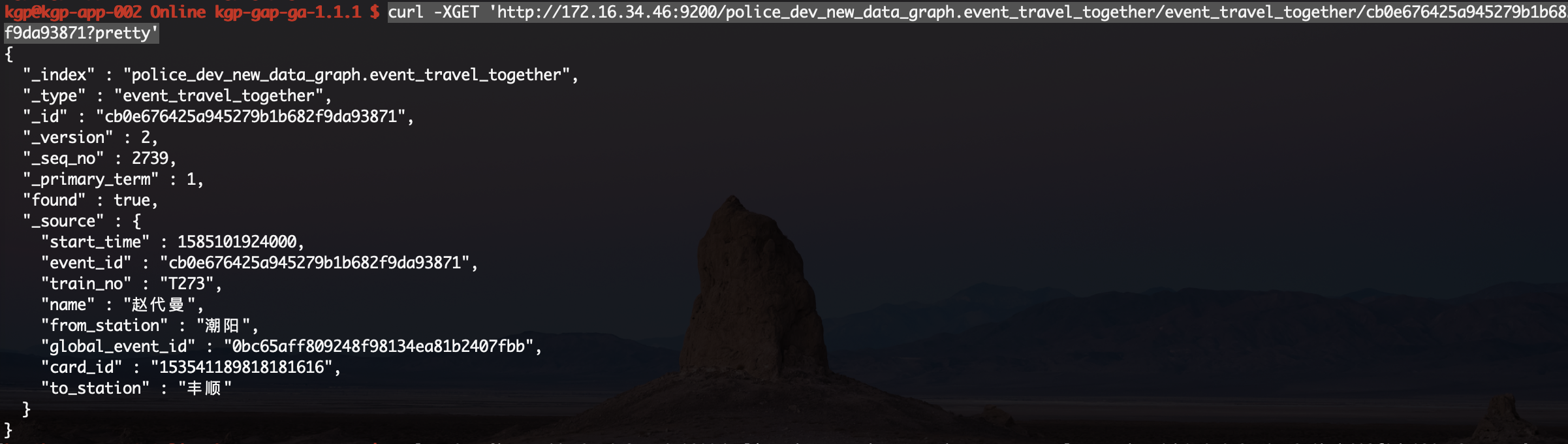
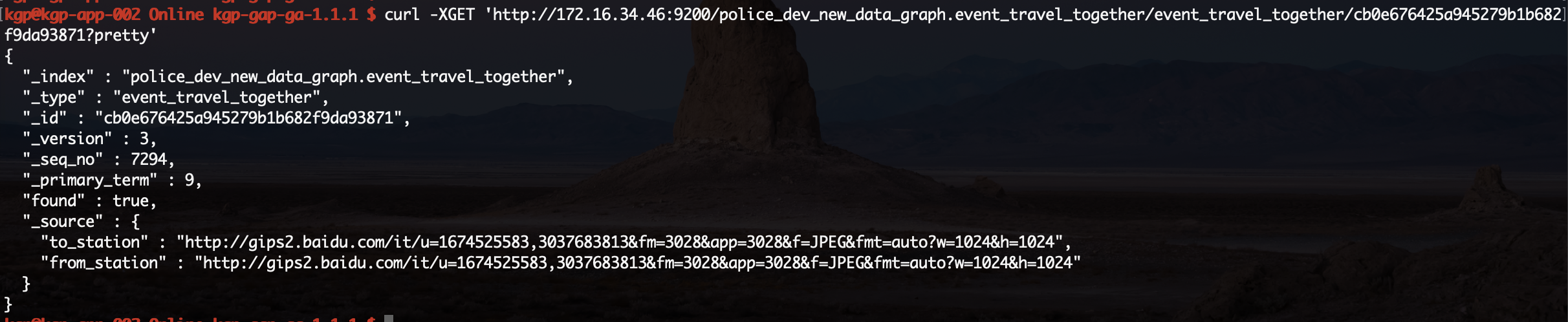
踩坑点:PUT 会把文档中未列出的字段全部清空。如果只想改一个字段,PUT 一执行整篇文档都会被重置成你提交的那两个字段,其它字段直接消失。我当年跟一个迁移脚本时,看到 1000 个文档的
created_at全部消失才真正记住这个教训。
3.2 POST _update 局部更新
curl -XPOST -H 'Content-Type:application/json' \
  'http://198.51.100.10:9200/projGraph.users/person/100000000000000001/_update' \
  -d '{
    "doc": {
      "pic": "https://example.com/avatar.png"
    }
  }'
只改 pic 字段,其它字段原样保留。
3.3 ES 7.x 的 URL 变化
ES 7.x 起官方废除了 mapping type 概念,但 API 上强制加 _doc:
curl -XPOST -H 'Content-Type:application/json' \
  'http://elasticsearch:9200/featureDB.demoIdx/_doc/e1e4b08e2a6c746a3d548b3ab6664407/_update' \
  -d '{
    "doc": {
      "fk720a78a6": "10000000000001"
    }
  }'
如果省略 _doc,URL 路径直接 404。
一句话:改字段用
POST _update,PUT 会清空所有未列出字段——这是日常最易踩的坑,生产事故复盘里十有八九躺在这。
四、批量更新:painless 脚本 + ctx API 速查
要批量清空某个字段、或批量按规则改值时,_update_by_query + painless 是首选。
4.1 批量清空字段
curl -XPOST -H 'Content-Type:application/json' \
  'http://192.0.2.10:9200/metaTbl.field/field/_update_by_query?pretty' \
  -d '{
    "script": {
      "lang": "painless",
      "inline": "ctx._source.link = \"\""
    }
  }'
4.2 painless 常用 ctx API
| API | 用途 |
|---|---|
ctx._source.<field> |
读写文档字段 |
ctx._source.remove("<field>") |
删除字段 |
ctx._id |
访问文档 _id |
ctx.op = "none" |
跳过该文档(不更新也不报错) |
ctx.op = "delete" |
删除该文档 |
ctx._version |
访问版本号 |
踩坑点:painless 默认有脚本编译速率限制与文档大小上限,批量跑大表前先把
script.max_compilations_per_minute、script.context_update_by_query.max_search_time调大。
一句话:批量改字段用
_update_by_query+ painless,跑大表前调大max_compilations_per_minute,否则五分钟就被限流。
五、别名的妙用:零停机切换与多表聚合
别名是 ES 中性价比最高的运维手段,用好别名能零停机切换索引、统一多表入口。
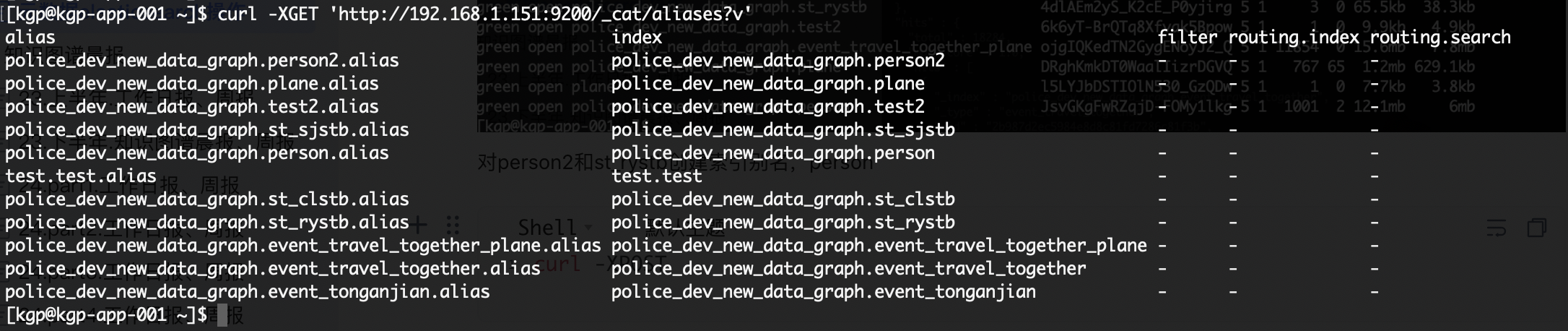
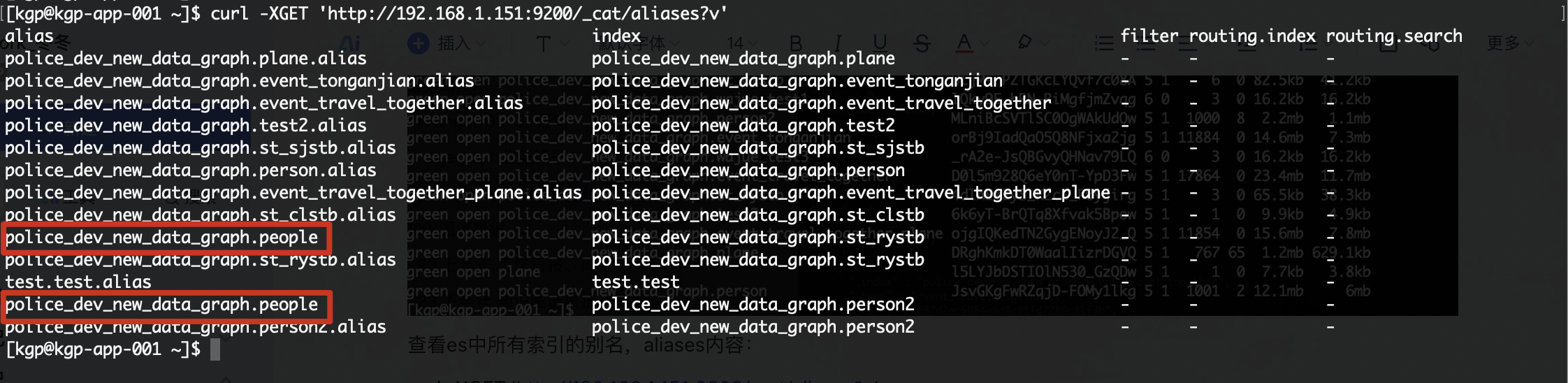
5.1 查看所有别名
curl -XGET 'http://192.0.2.10:9200/_cat/aliases?v'
5.2 批量增删别名
curl -XPOST -H 'Content-Type:application/json' \
  'http://192.0.2.10:9200/_aliases' \
  -d '{
    "actions": [
      {
        "add": {
          "index": "projGraph.usersNew",
          "alias": "projGraph.userUnion"
        }
      },
      {
        "add": {
          "index": "projGraph.residents",
          "alias": "projGraph.userUnion"
        }
      }
    ]
  }'
效果:usersNew 和 residents 都被打上 projGraph.userUnion 别名,前端按别名查询即透明聚合两表数据。
5.3 华为云 ES 7.x 创建索引的坑
华为云 ES 7.10.2 在创建索引时,type 路径要用 /mapping/_doc:
PUT /my_index/mapping/_doc
踩坑点:华为 ES 对
_doc位置敏感,路径写错直接 400。社区版 ES 7.x 写/<index>/_doc即可。我把这个坑单独记到 wiki,因版本差异真的会反复跳。
5.4 删除索引
curl -XDELETE 'http://192.0.2.10:9200/wide_text_index?pretty'
返回 {"acknowledged": true} 即删除成功。
踩坑点:删除索引是不可逆操作,生产环境务必先确认索引名,再加
-i看响应头确认 200。我后来在生产事故单里加了一条规则:删除索引前必须 dry-run 检查一次。
一句话:别名的最大价值是零停机切换与多表透明聚合,生产环境务必每张表都打 alias,别让前端代码直接绑死物理索引名。
六、按时间清理数据:range + _delete_by_query 的完整路径
生产中按时间范围清理数据的需求非常常见——保留最近 N 个月,过期数据清掉。
6.1 准备测试数据
# 创建索引
curl -XPUT 'http://198.51.100.10:9200/customer?pretty'

# 写入 4 条带时间戳的文档
curl -XPUT -H 'Content-Type:application/json' \
  'http://198.51.100.10:9200/customer/external/1?pretty' \
  -d '{"name": "用户甲", "time": 1687089301000}'

curl -XPUT -H 'Content-Type:application/json' \
  'http://198.51.100.10:9200/customer/external/2?pretty' \
  -d '{"name": "用户乙", "time": 1693282117000}'

curl -XPUT -H 'Content-Type:application/json' \
  'http://198.51.100.10:9200/customer/external/3?pretty' \
  -d '{"name": "用户丙", "time": 1692936517000}'

curl -XPUT -H 'Content-Type:application/json' \
  'http://198.51.100.10:9200/customer/external/4?pretty' \
  -d '{"name": "用户丁", "time": 1693109317000}'
时间戳对应:
_id |
时间戳 | 时间 |
|---|---|---|
| 1 | 1687089301000 | 2023-06-18 19:55:01 |
| 2 | 1693282117000 | 2023-08-29 12:08:37 |
| 3 | 1692936517000 | 2023-08-25 12:08:37 |
| 4 | 1693109317000 | 2023-08-27 12:08:37 |
6.2 范围查询(_search + range)
curl -XGET -H 'Content-Type:application/json' \
  'http://198.51.100.10:9200/customer/external/_search?pretty' \
  -d '{
    "query": {
      "constant_score": {
        "filter": {
          "range": {
            "time": {
              "gte": 1687089301000,
              "lte": 1693282117000
            }
          }
        }
      }
    }
  }'
constant_score 把 query 包成 filter context,不走打分,性能更好;时间范围查询场景几乎都是 filter,习惯加上。
6.4 _count 配合 range 快速返回命中数
curl -XGET -H 'Content-Type:application/json' \
  'http://198.51.100.10:9200/customer/external/_count?pretty' \
  -d '{
    "query": {
      "constant_score": {
        "filter": {
          "range": {
            "time": {
              "gte": 1687089301000,
              "lte": 1693282117000
            }
          }
        }
      }
    }
  }'
_count 只返回数字不取文档,比 _search + total.value 更轻量。
6.5 按范围删除(_delete_by_query)
curl -XPOST -H 'Content-Type:application/json' \
  'http://198.51.100.10:9200/customer/external/_delete_by_query?conflicts=proceed&scroll_size=10000' \
  -d '{
    "query": {
      "constant_score": {
        "filter": {
          "range": {
            "time": {
              "gte": 1692936517000,
              "lte": 1693109317000
            }
          }
        }
      }
    }
  }'
两个关键参数:
conflicts=proceed:遇到版本冲突不中断,继续删。scroll_size=10000:每批 10000 条,默认 1000,大表清理务必调大。
6.6 删完数据后,分片大小没变小?
ES 文档删除后只是逻辑标记为”已删除”,分片文件实际大小不会立刻下降。要真正回收磁盘,需 _forcemerge:
curl -XPOST 'http://198.51.100.10:9200/customer/_forcemerge?max_num_segments=1'
踩坑点:
_forcemerge是 IO 密集型操作,生产高峰时段慎用,最好放在业务低峰或维护窗口执行。我曾在白天执行过一次,直接拖垮写入 QPS。
一句话:
_delete_by_query后磁盘不释放,加_forcemerge?max_num_segments=1才能真正回收;这步踩过的同学都后悔过。
小结
把今天分享的高频操作压缩成一张速查表:
| 场景 | 命令路径 |
|---|---|
| 集群健康 | _cat/health?v |
| 索引列表 | _cat/indices?v |
| 单文档查询 | GET /<index>/<type>/<_id> |
| 局部更新字段 | POST /<index>/_update + {"doc":{...}} |
| 批量改字段 | _update_by_query + painless |
| 别名管理 | _aliases 批量增删 |
| 范围查询 | _search + constant_score.filter.range |
| 范围计数 | _count + range |
| 范围删除 | _delete_by_query?conflicts=proceed |
| 真正释放空间 | _forcemerge?max_num_segments=1 |
3 个最易踩的坑:
- PUT 全量覆盖——PUT 会清空未列出字段,改字段用 POST
_update - ES 7.x 路径——
_update/_doc必须显式写,否则 404 - 删除后磁盘不释放——
_delete_by_query完要加_forcemerge才真正回收
下一篇《ES 搜索调优实战:从 IK 分词到 match_phrase slop》会进入搜索质量领域,从分词器选择、宽文本抽取,到 match_phrase slop 调优,逐一拆解。